#
Visual Guide to Entry Variables

#
Entry Fields and Where they Are Displayed
I know when you take a look at the page to add or edit entries that it can be a lot all at once, and it's easy to get confused about how what you're doing will impact the site or the page.
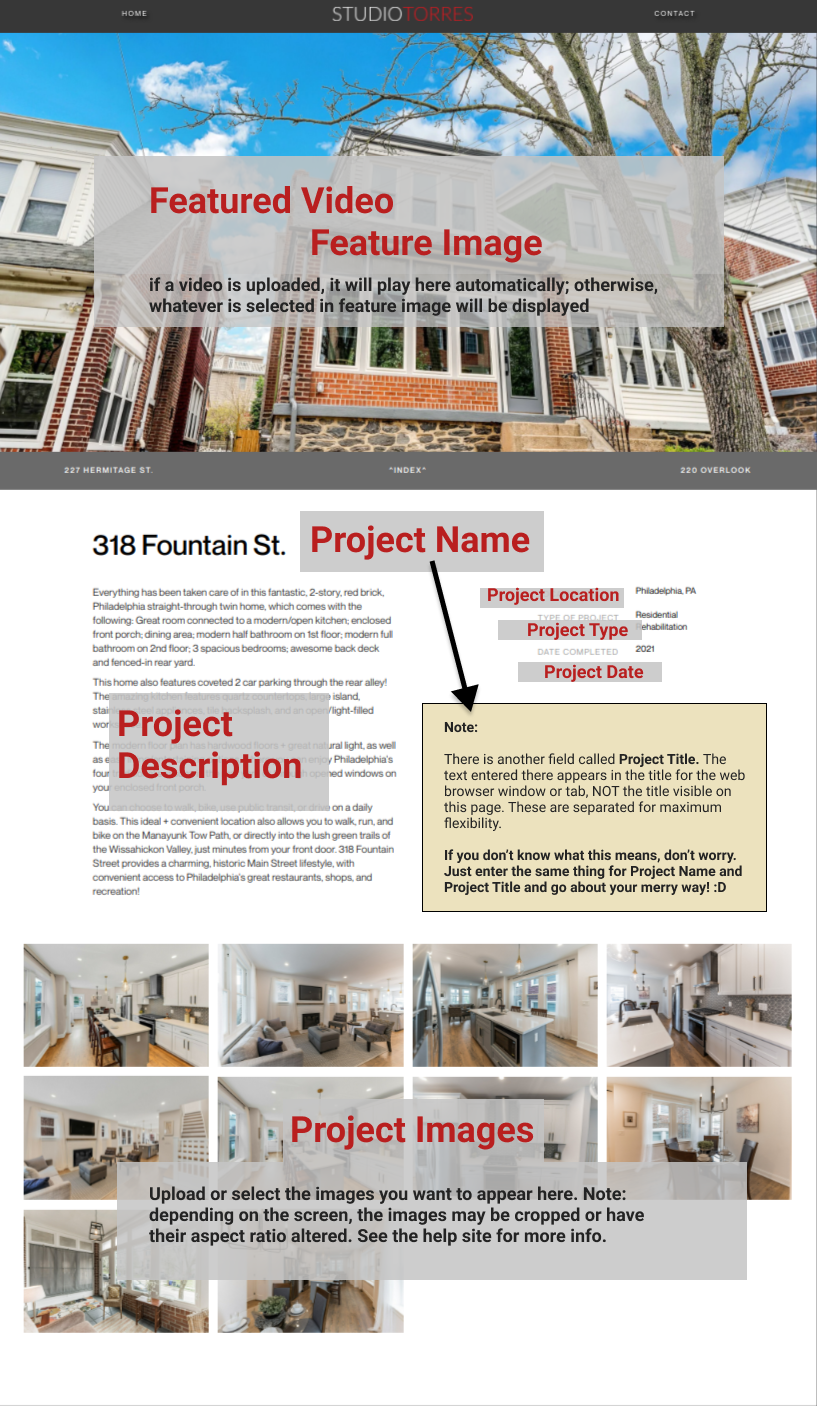
To give you a little more clarity, I made the following graphic that shows the relationship between the fields in the control panel and where the information in those fields gets output.
The names in red in the graphic match the names of the entry fields in the control panel. There are also tips and instructions on the entry form on the site to help guide you.
I tried to keep the names of the fields obvious and predictable, but it can still be ambiguous sometimes, so hopefully the graphic below will help.
If the image is too small, right click on it and select "Open image in new tab." When the new tab loads, you might have to click the image once to get the zoom to 100%.